Axoma: The All-in-One Powerpoint Template for Modern Presentations
In today's professional landscape, the quality of a presentation can be as critical as the idea it conveys. The visual medium is a powerful tool for persuasion, education, and promotion. However, creating a presentation that is both visually compelling and functionally robust often demands significant time, design skill, and sometimes multiple software platforms. This is where a well-crafted template becomes indispensable, turning a complex task into a streamlined process. The Axoma Powerpoint Template is engineered to serve this exact purpose.
Unpacking the Core Concept of a Multipurpose Template
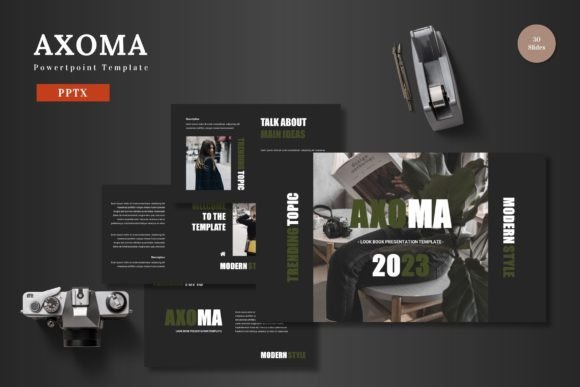
A truly effective presentation template goes beyond providing a few pretty slides. It acts as a foundational system. At its heart, Axoma is built on this principle of systematic design. The template offers a complete framework, starting with 150 total slides organized across 5 distinct premade color schemes. This structure means you have 30 slides for each template section, allowing for a coherent narrative flow without visual repetition.
The inclusion of dedicated section break slides further enhances this organization, providing clear visual cues to your audience as you transition between key topics. This thoughtful structuring is not merely aesthetic; it aids in cognitive processing, helping viewers follow and retain complex information more effectively.
The Foundational Advantage: Master Slide Architecture
One of the most significant technical benefits of the Axoma Powerpoint Template is its construction based on Master Slides. This is a powerful feature within Powerpoint Slides that many users overlook. Master slides control the global design elements—fonts, color placements, logo positions, and footers. When you edit a master slide, the changes propagate automatically across all slides linked to it.
This architecture ensures pixel-perfect consistency throughout your entire presentation. All graphics and illustrations are crafted to align with this precise grid, guaranteeing that every element sits exactly where it should. Furthermore, this foundation makes every graphic resizable and editable directly within Powerpoint Slides. You are not locked into static images; you can adjust shapes, icons, and infographics to fit your specific content needs without ever leaving the application.
Key Features That Define the User Experience
Examining the specific features reveals why this template is suited for a broad audience from business owners to educators. The 5 included PPTX files, each representing a different color variation, provide immediate flexibility. Whether your brand requires a bold, vibrant palette or a more subdued, professional look, you have a starting point that matches the tone.
The handcrafted infographics are a standout component. Unlike generic clip-art, these are designed within Powerpoint Slides itself, meaning they are fully manipulable. You can deconstruct a complex process diagram, change the color of individual segments, or alter text labels to mirror your data precisely. This level of control is typically only found in advanced graphic software, but here it is integrated into the familiar Powerpoint Slides environment.
Practical workflow features like picture placeholder and drag-drop gallery slides address common frustrations. Inserting images becomes a matter of dragging your file into a designated area, automatically fitting and cropping to the template's design. Portfolio slides are structured to showcase products or projects in a clean, grid-based layout that is both scalable and easy to update.
Empowering Creativity Without Extra Software
A core promise of the Axoma Powerpoint Template is the elimination of software barriers. The requirement for "no need for other software" is a substantial practical advantage. Every element, from shapes to charts to color schemes, is editable solely within Powerpoint Slides. This means you can input your content, replace images into a placeholder, change the color of any object, and finalize your presentation using only the tools you already own and know.
This accessibility opens the door for non-designers. A marketing professional can craft a pitch deck that looks custom-designed. A researcher can present complex findings with clear, engaging infographics. A teacher can build dynamic lesson slides that capture student attention. The template acts as a design co-pilot, providing the structure and aesthetic while the user provides the expertise and content.
Applications Across Professional and Personal Needs
The suitability for Business, Pitch Deck, E-commerce, or Product promotion purposes is broad. Consider a startup founder using the animated slide features to add subtle motion to a key product reveal in a pitch deck, creating a moment of engagement for potential investors. An e-commerce manager might utilize the clean portfolio slides to display new product lines in an internal strategy meeting, with all images uniformly formatted for a professional look.
Beyond strict business use, the multipurpose nature supports personal needs. An individual creating a presentation for a community group, a wedding plan overview, or a personal portfolio can leverage the same clean, scalable design to maintain the quality of their presentation. The template ensures that the visual output respects the importance of the content within.
The inclusion of animated slides adds a layer of modern presentation technique. Used judiciously, animation can guide focus, reveal information sequentially, and add a polished, dynamic feel without requiring complex video editing. Presenting your slides to the world becomes a more confident experience when the medium itself is polished and professionally crafted.
Considerations for Optimal Template Utilization
While the template provides the framework, optimal results come from understanding its flexible parts. The readme file included is a crucial starting point, offering font and photo information. Adhering to the recommended fonts ensures typographic harmony across the slides. The five color schemes are not just alternatives; they can be mixed thoughtfully within a single presentation by using the master slide controls to maintain coherence.
It is also important to recognize that a template is a tool for efficiency, not a substitute for content planning. The 150 slides offer breadth, but the most effective presentations are often concise. The user should curate the slides needed, hiding or removing sections that don't serve their specific narrative. The editable nature means you are not presenting a generic template; you are presenting your content within a professionally designed container.
Finally, the widescreen format is the contemporary standard for most digital displays and projectors. This aspect ratio ensures your presentation fills modern screens without awkward cropping or black borders, providing an immersive viewing experience from the outset.
The Outcome: Confidence in Presentation
The ultimate value of a comprehensive tool like the Axoma Powerpoint Template is the confidence it instills. When the structural, design, and technical hurdles are removed, the presenter can focus on what matters most: the message. Whether the audience is a boardroom, a classroom, or a global online webinar, the visual communication is clear, scalable, colorful, and purpose-built.
From the initial selection of a color scheme to the final step of presenting your slides to the world, the process is integrated and streamlined. The cheers at the end of a successful presentation are often for the ideas conveyed, but a powerful, seamless visual framework plays a silent, crucial role in making those ideas resonate. By providing a ready-to-use system that balances extensive features with straightforward editing, this template embodies a practical solution for the universal need to present information with impact.