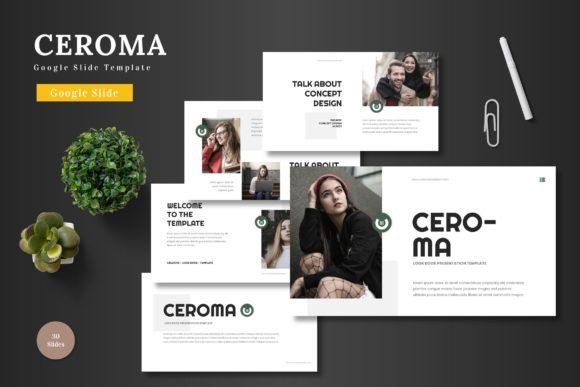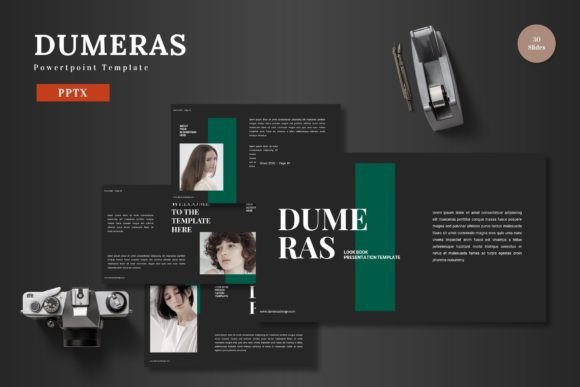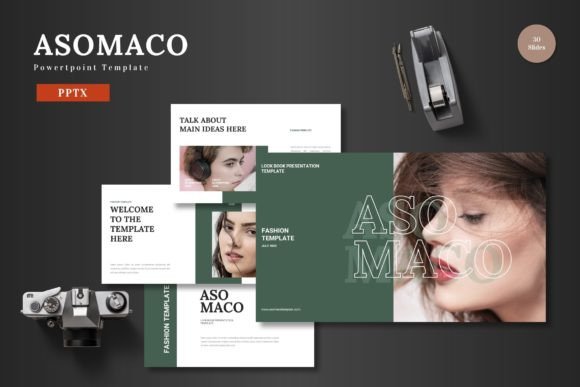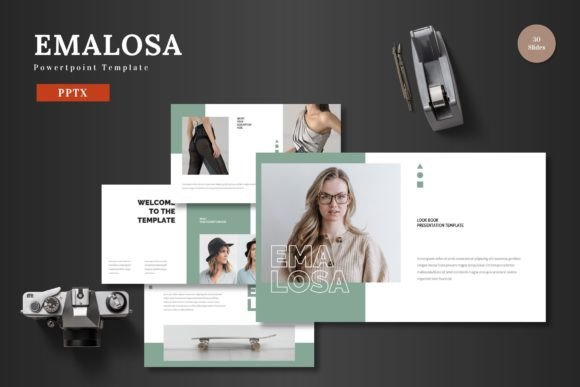
Ceroma PowerPoint Template: The Multipurpose Foundation for Modern Presentations
In today's fast-paced professional environment, the ability to communicate ideas clearly and persuasively is paramount. Whether you're pitching to investors, training a team, launching a product, or presenting annual results, your slides are often the central canvas for your message. Yet, the process of creating a presentation from a blank slate is fraught with inefficiencies: inconsistent design, wasted hours formatting, and the nagging worry that the final product lacks polish. This is where a structured, high-quality template becomes not just a decorative shortcut, but a strategic tool in your workflow. The Ceroma PowerPoint Template is designed to be that foundational asset.
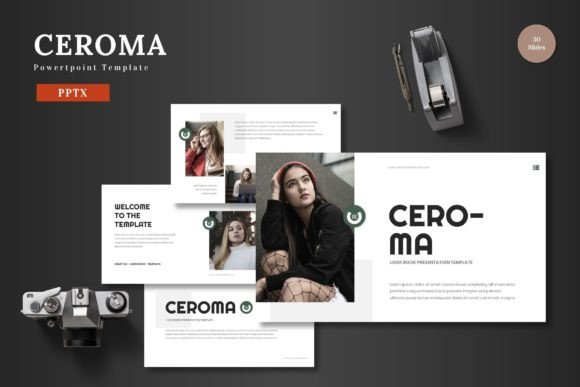
Ceroma PowerPoint Template fits into the planning and execution phase of any project requiring visual communication. Its role is to remove the heavy lifting of design and structure, allowing you to focus entirely on content and narrative. Before you begin drafting your first slide, having a template like Ceroma in your toolkit defines the visual parameters of your project. It establishes a cohesive color scheme, typography, and layout logic, ensuring that every slide you create adheres to a professional standard from the outset. This pre-project decision streamlines the entire creation process.
Integration into Professional and Creative Workflows
Consider a typical workflow for a startup founder preparing a pitch deck. The core tasks are researching the market, defining the value proposition, and crafting a compelling story. The design of the slides is a critical supporting task, but it can become a distraction. By integrating Ceroma PowerPoint Template at the start, you immediately have a framework of 150 total slides across five distinct color schemes. You aren't starting with a blank page; you're starting with a library of pre-structured slides designed for specific purposes: problem statements, solution showcases, financial projections, team introductions, and portfolio displays.
This template interacts seamlessly with your other assets. Its editable shapes and picture placeholders mean you can drag-and-drop your existing company logos, product photos, and infographic data directly into the slides. There's no need for external graphic software; the entire editing process happens within PowerPoint Slides. This compatibility is crucial for maintaining efficiency. For educators, this means quickly inserting diagrams or lecture images. For marketers, it means populating a gallery slide with the latest campaign visuals without breaking the design theme.
Usability and Efficiency: Editing in a Native Environment
The promise of "editing just on PowerPoint Slides" is a significant efficiency gain. Many templates require users to wrestle with complex master slides or unfamiliar tools. Ceroma PowerPoint Template is built on a master slide foundation, but its handcrafted infographics and pixel-perfect illustrations are presented as resizable and editable PowerPoint shapes. This means you can change a chart's color by using the standard PowerPoint format menu, or resize an icon without losing quality, because all graphics are vector-based within the application.
This native editing capability reduces friction and learning time. A user can focus on the practical implementation of their content: inputting text into clearly defined title and body areas, replacing an image placeholder with a simple right-click, and adjusting element colors to match a secondary brand palette from the five provided color variations. The workflow becomes content-first. You select a slide from the 30 slides available for each template section—like a slide specifically designed for a feature list or a comparison table—and fill it with your information. The design integrity remains intact.
Suitable for Diverse Use Cases and Long-Term Quality Control
The multipurpose nature of Ceroma PowerPoint Template makes it a versatile resource across different projects and even different roles within an organization. Its suitability for Business, Pitch Deck, E-commerce, and Product promotion presentations means it can serve as a single, consistent visual language for a small business or a freelancer. An entrepreneur might use the vibrant color scheme for a startup pitch, then use the more muted variation from the same template for an internal quarterly business review.
This promotes organizational consistency. If multiple team members are creating presentations—for sales, for HR, for technical training—using a shared template like Ceroma ensures a unified corporate image. All presentations include an animated slide, offering a ready-to-use dynamic element that can highlight a key transition or conclusion without requiring custom animation skills. For long-term use, having the five included PPTX files for each widescreen color scheme acts as a renewable resource. You aren't using a template once; you're adopting a system that can be deployed for years, maintaining the quality of your visual communication across countless projects and updates.
Practical Implementation Tips for Smooth Integration
To integrate Ceroma PowerPoint Template smoothly into your routine, start with the "Readme First" file. This provides the font and photo information, ensuring you have the correct assets to maintain the template's visual fidelity. Next, choose the color scheme that best aligns with your current project's mood or brand guidelines. Open that PPTX file and immediately explore the master slides to understand the global design elements.
A practical method is to work section by section. The template is organized with section break slides, helping you structure your presentation narrative. For a product launch, you might sequentially use: an introductory title slide, a problem statement slide, the solution slides with placeholder images for your product, the feature list infographics, the gallery slide for screenshots or photos, the market data slides, and finally the animated conclusion slide. Each of these is pre-designed. Your workflow becomes one of curation and population, not invention and design.
Remember that all elements are editable. Don't feel constrained by the initial layout. If a particular infographic works better with three points instead of four, you can simply delete one element within PowerPoint. The template provides the framework, but you have the control to adapt it precisely to your content needs. This balance between guidance and flexibility is what makes a template truly multipurpose and suitable for all business or personal needs.
From Assembly to Presentation: Completing the Process
The final stage of any presentation workflow is rehearsal and delivery. Because Ceroma PowerPoint Template handles the design coherence, you can spend more time refining your message and practicing your delivery. The clean, scalable design ensures your slides will look sharp on any screen, from a laptop to a large conference room projector. The colorful yet professional layouts keep audiences engaged without distracting from the speaker.
When your slides are complete, you present them to the world. The confidence that comes from a visually polished deck is tangible. It signals professionalism, preparation, and respect for your audience. The Ceroma PowerPoint Template, by providing a clean, scalable, colorful, and multipurpose foundation, enables you to reach that stage faster and more reliably. It turns the often chaotic process of slide creation into a streamlined, predictable, and high-quality output. By integrating such a tool into your planning and execution, you safeguard your time and elevate your communicative impact, allowing you to focus on what matters most: the content of your message and the power of your story.